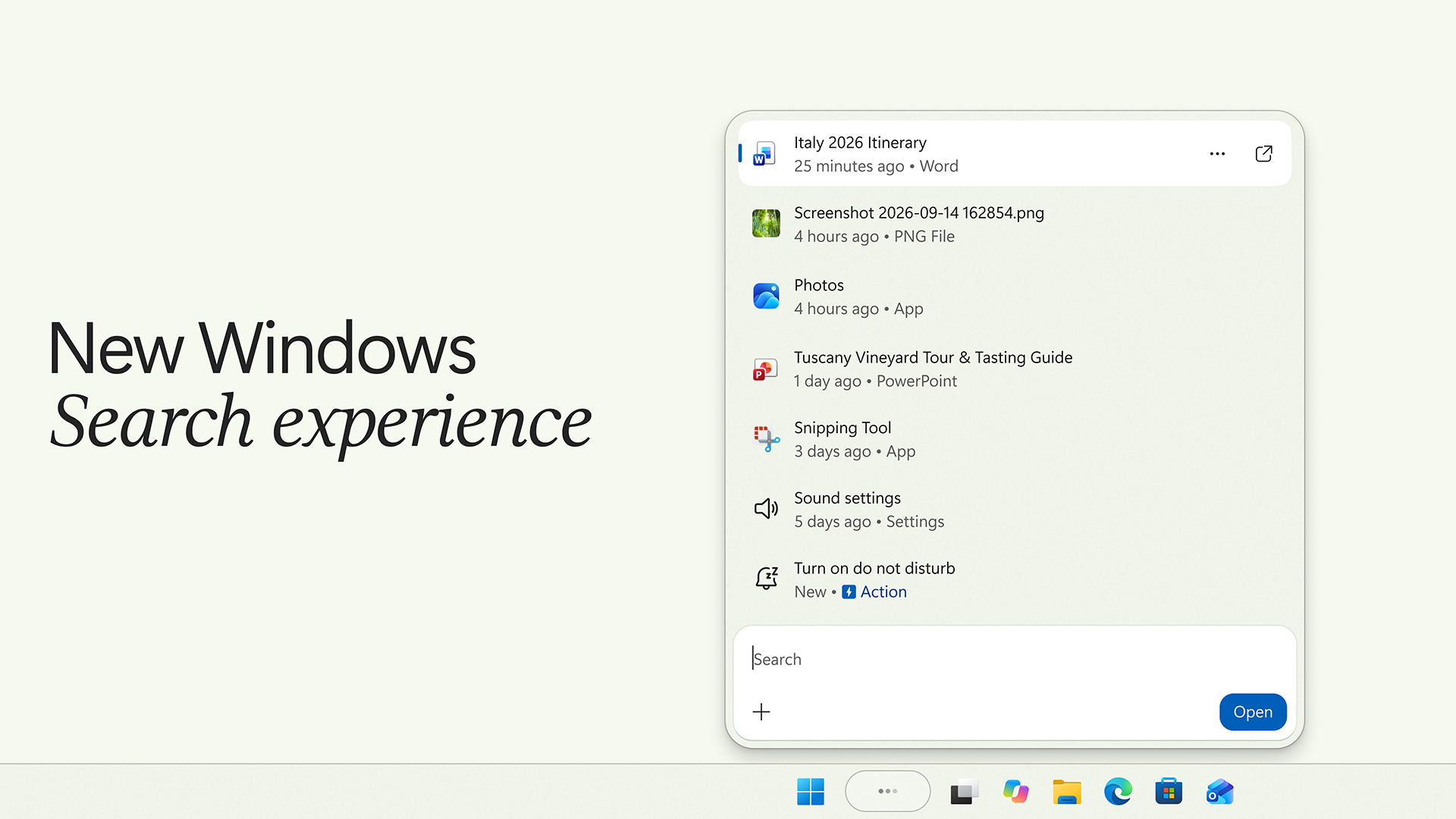
Microsoft wants the Windows search box to do more than point you toward the right app. In an October 7 announcement, the company introduced a redesigned taskbar search experience with inline actions: controls that can change a setting or organize windows directly from a search result. The initial release is an English-language preview for Windows Insiders in the Experimental channel, rather than a feature everyone should expect to see immediately.
According to the Windows Insider team, the redesign uses WinUI 3, puts results in a single list, and improves matching for misspellings and synonyms. Microsoft reports better speed and memory use in its early testing, without providing an independently verified benchmark in that announcement. Start-menu search initially retains the existing interface. Phone actions, richer previews, and the eventual Start-menu redesign sit on different rollout timelines.
Microsoft returned to the theme in its October 15 Windows update overview, describing search actions for settings such as dark mode and night light, plus workspace management. That broader product overview reinforces the direction, but users should still check the release channel and availability attached to an individual feature.
Why a small shortcut could matter
Our take: the interesting change is the removal of a navigation step. If you know the result you want but cannot remember where Microsoft placed its switch, a reliable search action could save a trip through Settings. That is a more concrete benefit than another expansive promise about an intelligent operating system. It also gives Microsoft a relatively straightforward test: does a common request produce the right control quickly?
The design will need to make a distinction between finding an item and changing something. A search for Bluetooth could mean checking whether it is enabled, connecting headphones, or disabling the radio. The most useful interface would make the proposed action obvious before the user commits. A shorter path is valuable only if it remains predictable.
What to watch before changing your setup
For most people, this is a feature to evaluate when it reaches their normal Windows release. Joining an experimental software channel solely to save a few clicks would be a poor trade if the machine is also needed for dependable daily work. Enthusiasts already running previews can judge it with ordinary tasks rather than a rehearsed demonstration: find two similarly named documents, correct a mistyped app name, and locate a setting whose exact name they have forgotten.
The longer-term question is whether search can become more capable without becoming more distracting. We would judge success by accuracy, consistency, and reversibility, especially when commands start reaching connected devices. Microsoft has outlined a useful direction. The practical verdict will depend on the everyday experience after the staged rollout, not on the breadth of the announcement.